Log practice with one tap. Show your teacher at the lesson.
Practice Log n Share is an iPhone and iPad app for people who take lessons. It times your practice by category and shows the totals since your last lesson, so your teacher can see what you actually practiced.
Logging on 5 dates is free. After that, a one-time unlock. No subscription.
How it works
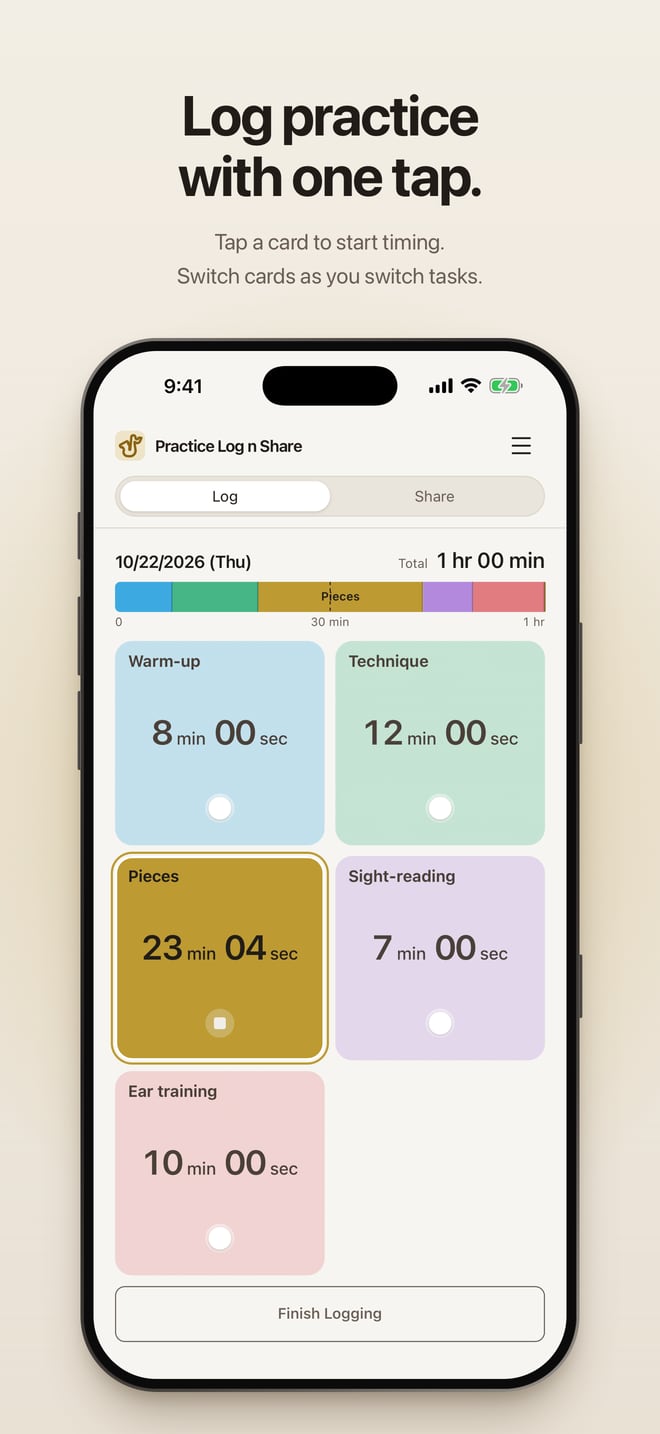
Tap Start Logging
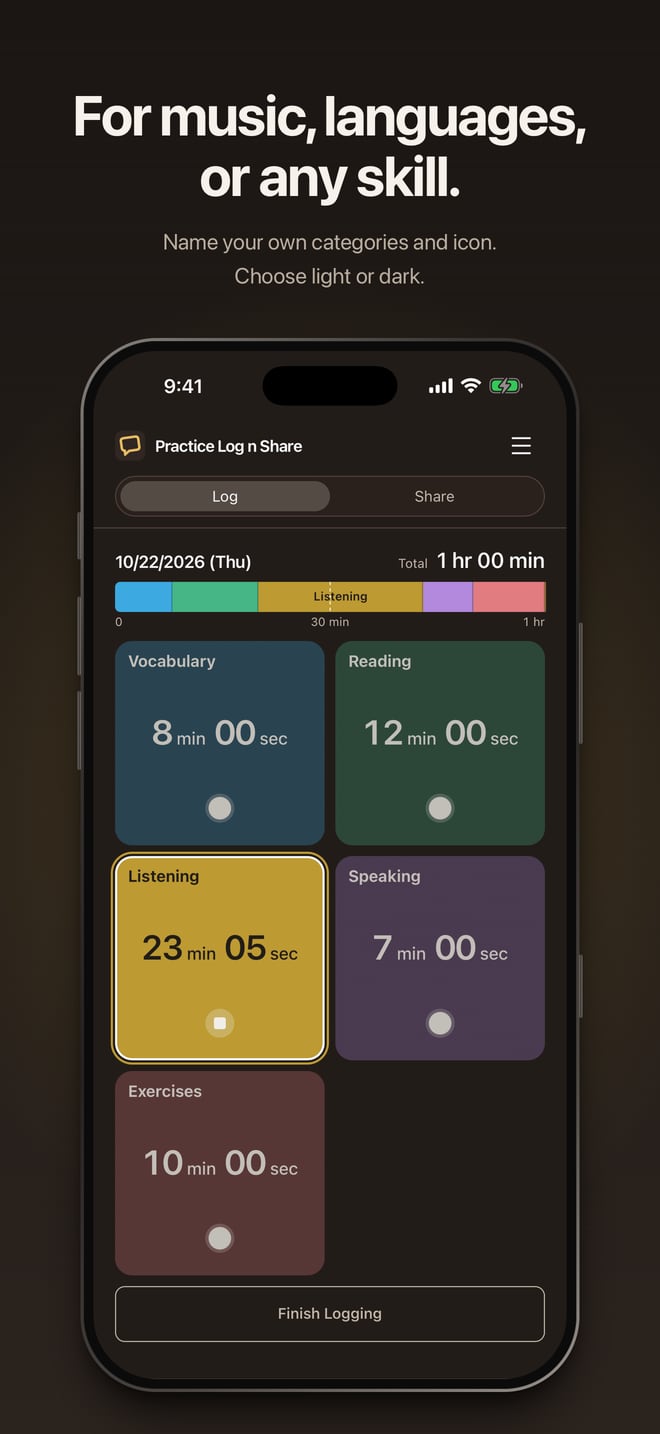
Then tap the card for what you’re practicing: warm-up, technique, pieces, or categories you name yourself. Tap another card when you switch.
Mark your lesson days
Lesson days divide your log into periods, so each lesson starts a fresh total.
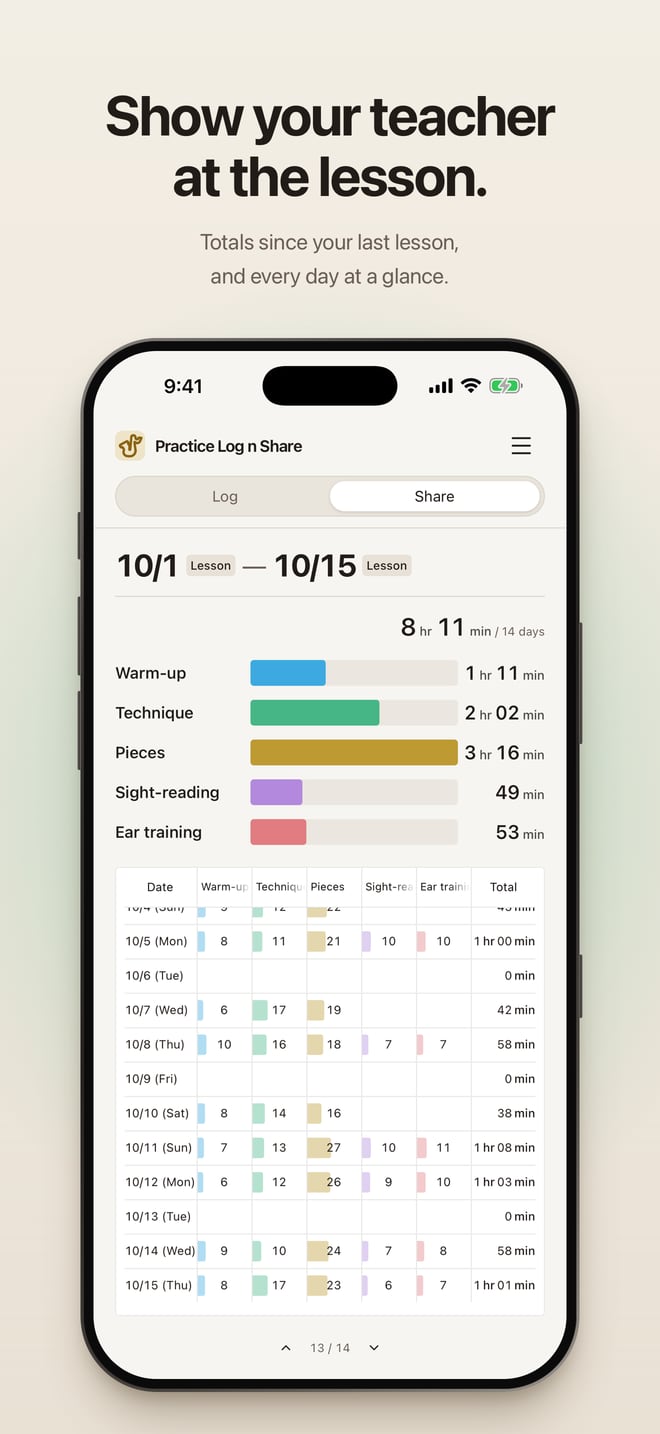
Open Share at the lesson
Totals per category and a day-by-day table since the last lesson, ready to show. Nothing is sent anywhere.
Also in the app
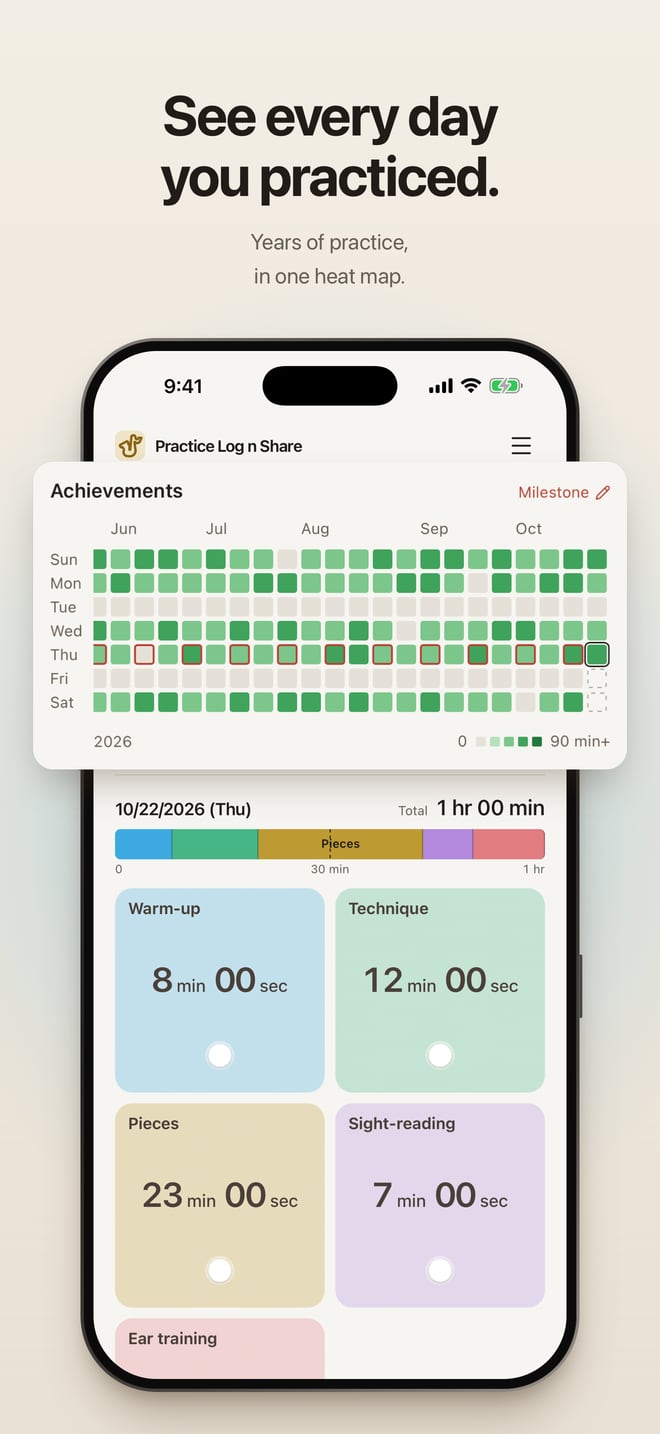
Every day, across the years
A heat map of each day you practiced, with no cut-off, so years of practice stay in view.
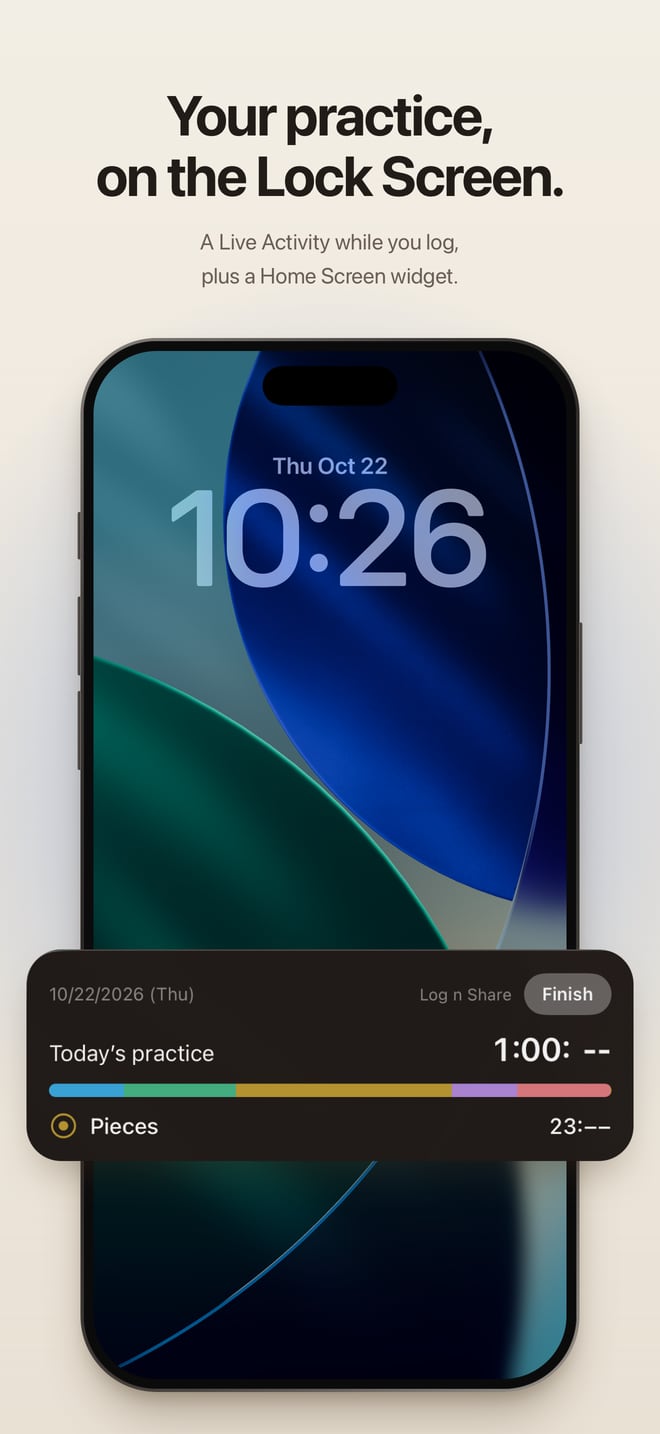
Lock Screen and Home Screen
A Live Activity and the Dynamic Island while you log, and a widget with today’s practice.
Any skill
Name categories in any language and pick a theme icon: music, languages, sport, art.
Your log stays yours
No account and no server of ours. The log is stored on your device, with a backup copy in your own iCloud and JSON export.
At a glance
- Devices
- iPhone and iPad, iOS 17 or later
- Languages
- English and Japanese
- Price
- Free download. Logging on 5 distinct dates is free, with no time limit; a one-time in-app purchase unlocks more. No subscription.
- Account
- Not needed
- Your data
- Stored on your device; not sent to a developer server
- Sharing
- Shown on your screen at the lesson; not sent to a teacher or posted
- Not included
- Audio recording, practice analysis, sync between devices, Android
Questions
Is Practice Log n Share free?
The download is free, and logging on 5 different dates is free with no expiry. Logging on a sixth new date needs a one-time purchase; the price is shown in the app before you buy. Viewing, editing, sharing and exporting your records stay free.
Does it send my log to my teacher?
No. Share is a screen you show at the lesson. The app does not send messages, post to social media or offer shared editing.
Can I use it for something other than music?
Yes. Name the categories after anything you practice, such as vocabulary and listening, drills, or sketching.
Does it record audio?
No. It logs time only.
Is there an Android version?
No. It runs on iPhone and iPad.
Where is my log stored?
On your device. When iCloud is available, the app also keeps a backup copy in your own iCloud. It is a backup, not sync. You can export a JSON file at any time.
Guides
- How to keep a practice log for music lessons
A practice log for lessons should show time by category since your last lesson. Five habits that make it easy to keep and useful to your teacher.
- What to show your music teacher each week
Totals by category, the days you practiced, and one question. What to bring to a lesson so your teacher can help with what actually happened.
Made by a saxophone student who wanted an easy way to show a teacher what had been practiced between lessons.